.svg)

Consider this hypothetical situation: you find a loose cable with a 6-pin connector and a 4-pin connector - exactly what you need to connect an oxygen sensor to your CTD. However, just because the cable ends fit on the instrument connectors, you still don’t know if this is the appropriate cable. At best, you’ll get lucky and communications will flow between the two instruments. At worst, this mysterious cable could divert electrical current to the wrong pin, potentially damaging your sensor. There are a lot of cables out there, and it’s not always easy to determine what’s what. Fortunately, the Sea-Bird Scientific Cable Search tool is here to help.
Searching by Cable or Drawing Number
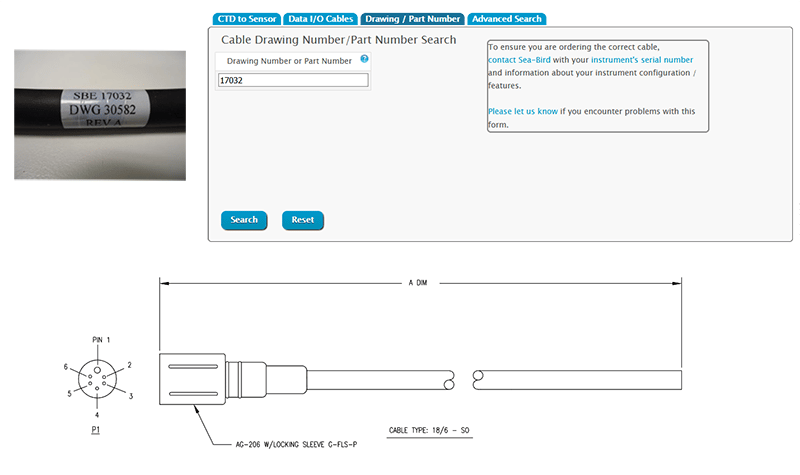
Each cable should have a label printed somewhere along its length. Take the “SBE” number (this is the cable’s part number, 17032 in the example below) or the “DWG” number (this is the cable’s drawing number, 30582 in the example below) and enter either into the “Drawing/Part Number” tab of Cable Search to obtain the cable drawing.
Searching by Sensor Type
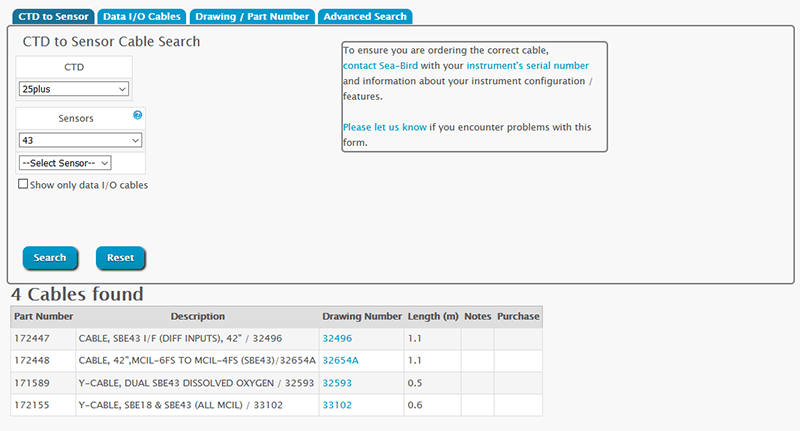
In some instances, you may need a replacement cable and don’t know the SBE or DWG number. In this case you can utilize the “CTD to Sensor” tab to define the two instruments that you are connecting, and Cable Search will provide you with a list of options.
Searching by Connector Ends
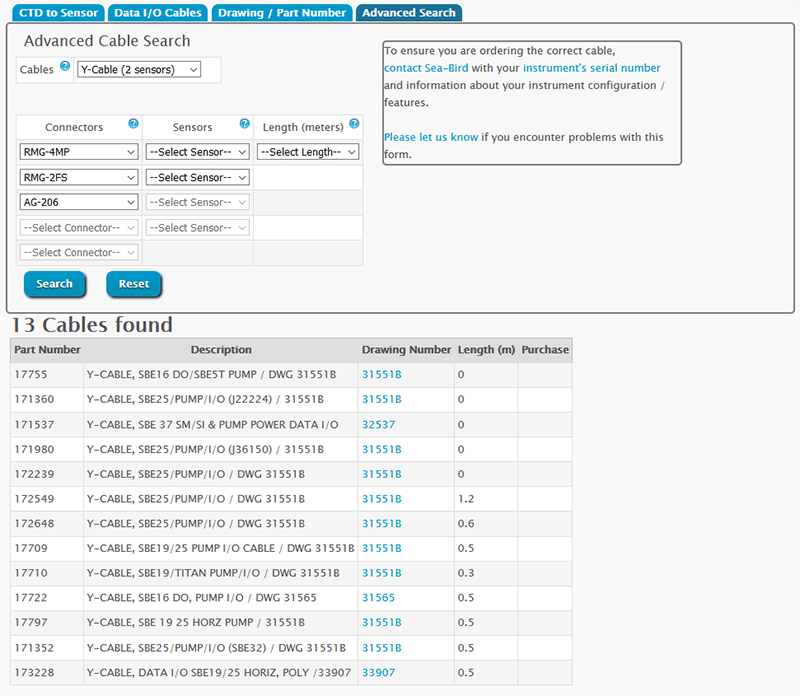
Furthermore, the “Data I/O Cables” and “Advanced Search” options allow you to specify the types of connectors on each end of the cable, providing a list of cable drawings that match that description.