.svg)

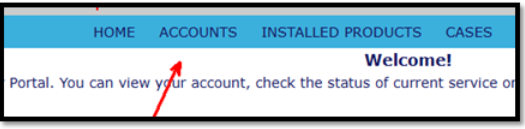
- After logging into the customer portal, click on Accounts in the top Ribbon.
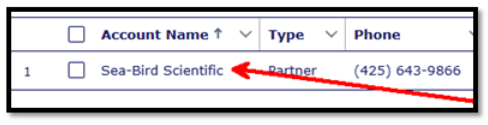
2. Click on the correct account name (if more than one account is assigned to you).
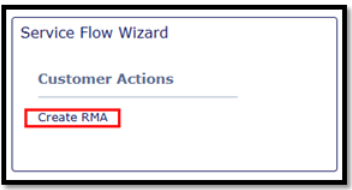
3. On the right side of the screen, click on Create RMA.
4. Confirm the Bill To and Ship To addresses are correct, revise as needed.
5. Check this box if the End User details match the Ship To address
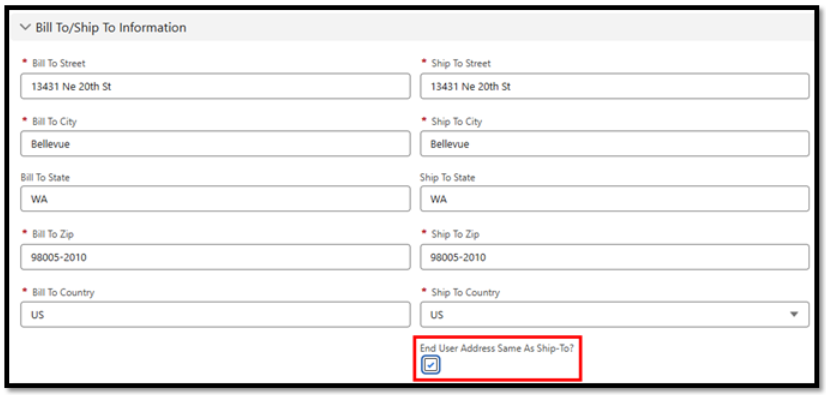
Otherwise, enter the End User address info.
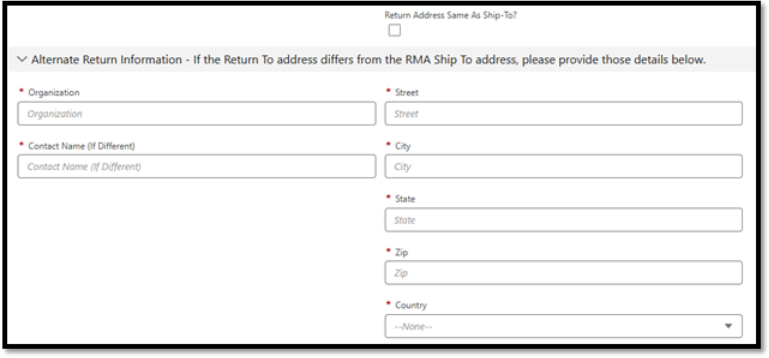
6. Fill/answer all questions. Fields/questions with a red asterisk are required.
7. To add sensors for service, click Add instrument for Return, and then search for the SN (Installed Records).
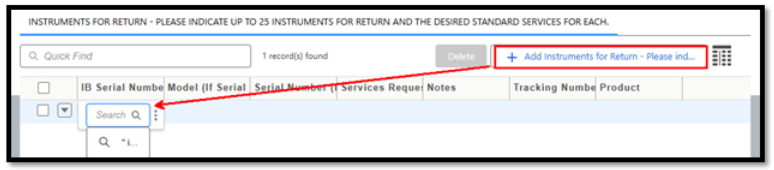
8. If a matching sensor is not found during the Installed Records search, manually enter the model and SN. (Note that the column widths can be expanded to show the full description.)

9. Select the Services Requested and include any sensor notes (again, columns can be expanded to show more description).

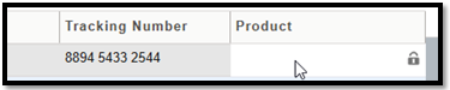
10. The Tracking column is optional. And the Product column is locked for internal use.
11. Repeat for additional sensors.
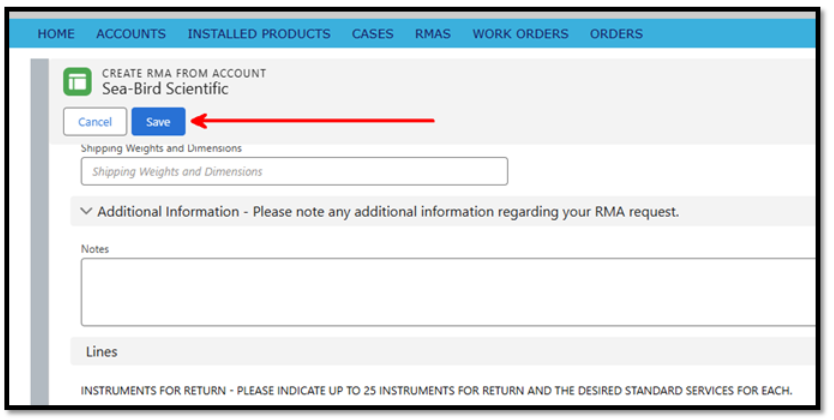
12. When all sensors have been entered and all other elements of the form are complete, click the blue Save button at the top.
13. An RMA number (called Parts Order, here) will be assigned.
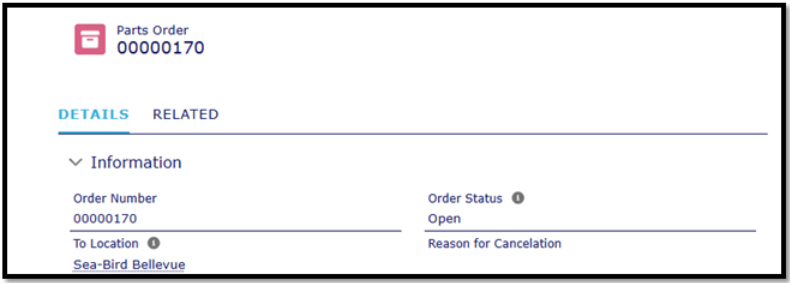
14. Links to Edit or Cancel the RMA are available along the right side.
15. A confirmation email will be sent to the address(es) listed on the form. The email will include return shipping instructions.
16. If requested on the RMA form, a preliminary quote will be sent to you shortly.
Please email service@seabird.com or call 425-643-9866 ext 2, if you have any questions.