.svg)

We've made some changes to the RMA Process!
Sea-Bird Scientific is committed to making your service experience smoother and more efficient. Our updated RMA process is designed to help you get your instruments back in the water faster—with the same world-class support you trust.
You may have received an email from us titled “Welcome to the Sea-Bird Customer Community” inviting you to set up your account in our new Customer Portal. Please use the unique link in that email to set your login credentials.
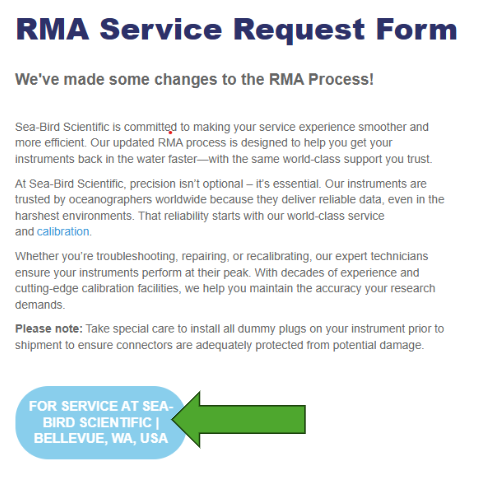
When you click this button on our RMA Service Request Form, you will be directed to the new Portal.
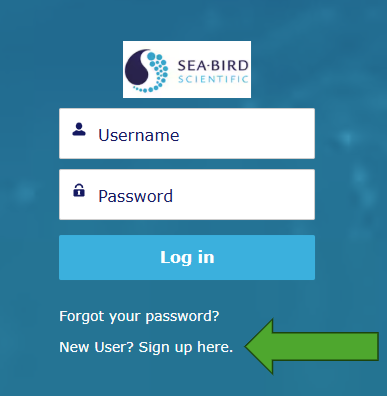
Click the New User Link to request an account by filling out the field below.
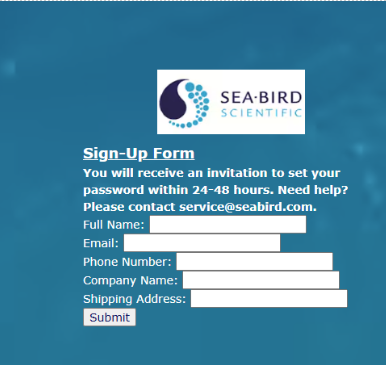
Within 48 hours, you will receive an email with a unique link inviting you to set up your login credentials.
Once you are in the Customer Portal, you can view your account, check the status of your current service orders, and access technical information related to your instrument.
To create a new RMA, select Accounts from the top ribbon using the top ribbon and then click on your account name to create a new RMA request. More detailed instructions on creating a new RMA can be found here.
If you have any questions or experience any difficulties, please don’t hesitate to contact us at service@seabird.com