.svg)

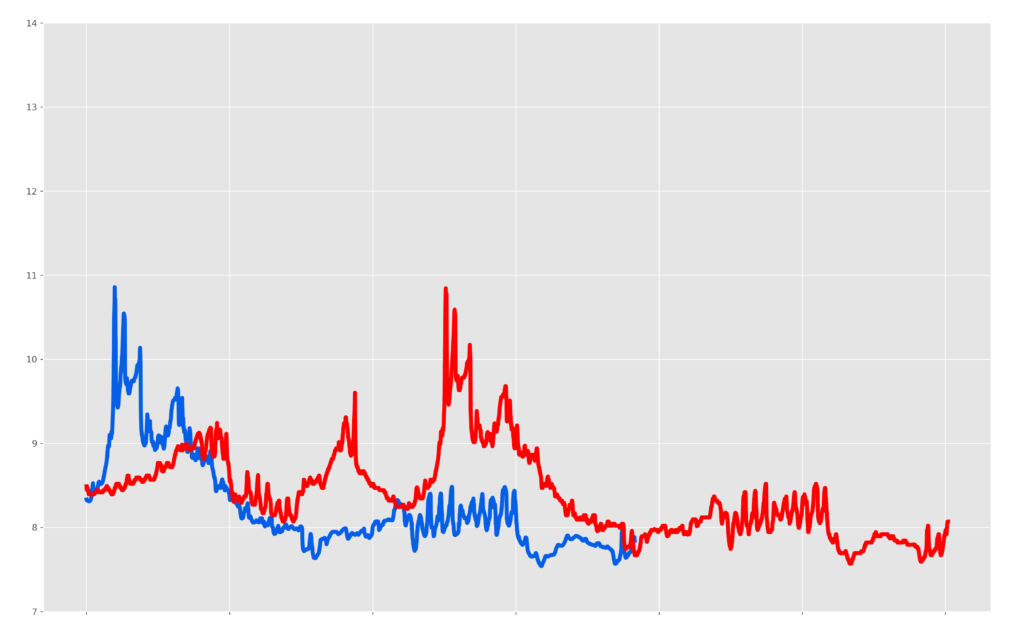
The data above show temperature collected from two different moored instruments. The data in blue come from a 16plusV2 SeaCAT CTD, while the data in red come from another temperature sensor deployed next to the SeaCAT on the seafloor. Although they should match perfectly, the two sensors rarely reported the same temperature value throughout their deployment. Furthermore, the 16plusV2 appeared to stop logging, although the batteries still had life upon recovery. Can you identify the problem?
Hint: this problem is a prime example of the benefits of data visualization for troubleshooting.
Answer: Incorrec t Date/Time Programmed on the CTD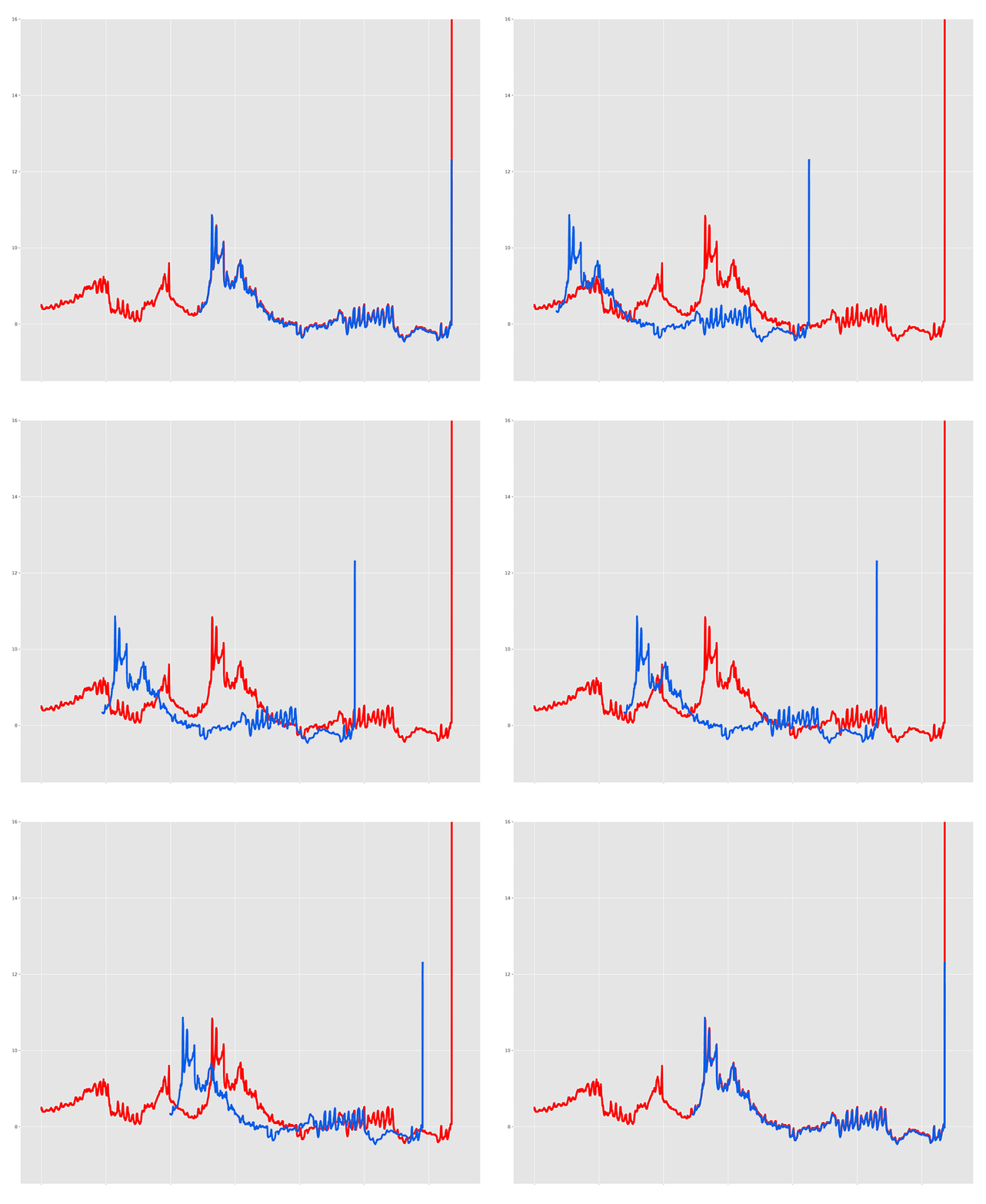 Can't see the animated gif? Click Here. Both instruments were logging accurate data that matched the other almost exactly – due to a simple mistake, the 16plusV2 SeaCAT simply started logging AFTER the other sensor. In this case, it was because the clock on the 16plusV2 was set incorrectly. A post-recovery breakdown shows the sequence of events leading up to this error:
- The date/time on the 16plusV2 was programmed incorrectly in the lab, set to approximately 3 months later than the actual date.
- The 16plusV2 was programmed to start logging at a delayed start time that matched the date/time of the deployment (with the commands “startdatetime=mmddyyyyhhmmss” and “startlater”).
- Both sensors were physically deployed on the seafloor very close to one another. The SeaCAT was still waiting to begin logging (although the operator believed that it had started logging per the delayed programming), while the other sensor was manually configured to begin logging moments before the deployment.
- After 3 months, the incorrect clock on the SeaCAT met the delayed start date/time, and began logging.
- Plotting the data post-recovery by date offset the data between the two sensors in the resulting figure.